
When I work with AI agents for SEO tasks, I try to avoid a fairly common problem: copying data from a tool, pasting it into a conversation, and losing part of its context or origin along the way.
The remote MCP SISTRIX allows OpenCode to query its data using built-in tools. The agent can research keywords, domains, competitors, backlinks, or visibility in AI systems without forcing me to manually move tables.
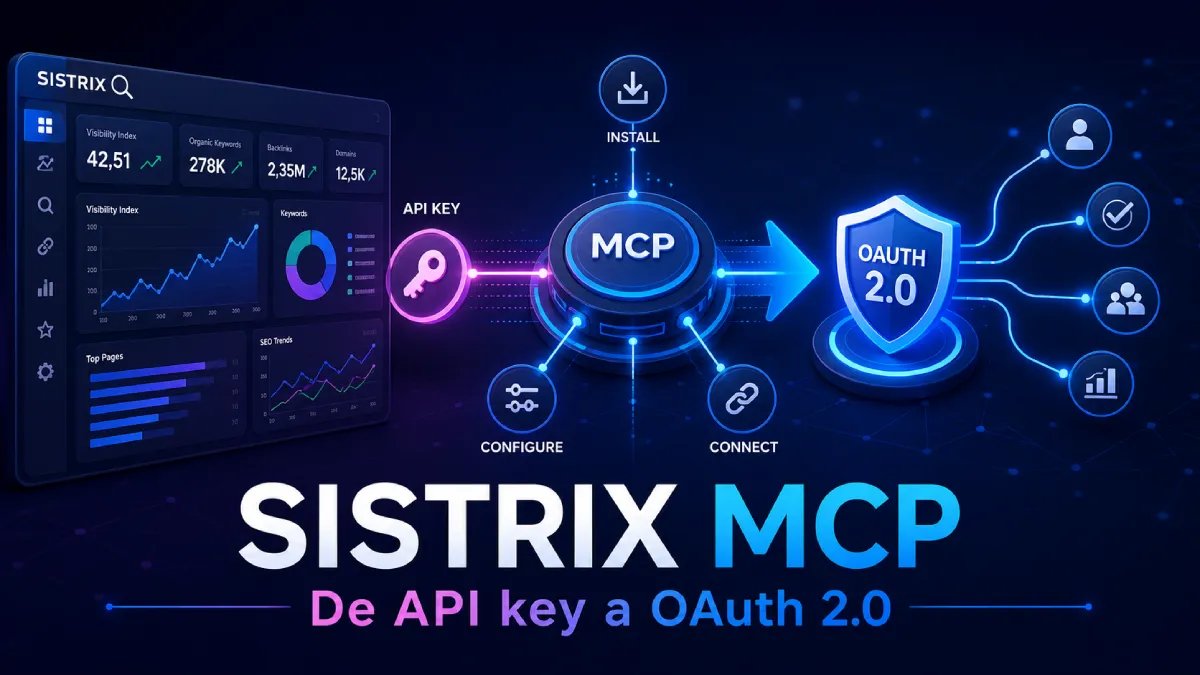
Update: Change API key authentication to OAuth 2.0
Starting August 31, 2026, the SISTRIX MCP will no longer accept connections authenticated using an API key. From that date it will be mandatory to use OAuth 2.0.
The change does not affect the data or credits available in the API. What changes is the way OpenCode authorizes the connection: instead of storing a static key, we will log in to the SISTRIX Toolbox and approve access.
In my opinion, this is a step backward that limits the flexibility of the API. The most relevant practical limitation might appear in automations without human intervention. For interactive use with OpenCode, OAuth is more secure and convenient. But I'll leave you with the pros and cons of API key vs. OAuth2 so you can draw your own conclusions:
Advantages of API key
- It is simple for scripts, servers and CI processes without a graphical interface.
- Can be configured using environment variables.
- Does not require an interactive login.
- It is easy to move between controlled environments.
Its main problem is that it acts as a static secret. If it is leaked, anyone who has it could use it until it is revoked.
Advantages of OAuth 2.0
- No need to copy long keys or save them in opencode.json.
- Authorization is done directly from SISTRIX Toolbox.
- It is easier to withdraw access granted to a client.
- OpenCode manages OAuth credentials after authorization.
- Reduces the risk of accidentally publishing an API key.
OAuth does not eliminate all risks. Tokens are still sensitive credentials and the computer where OpenCode stores them must be protected.
Disadvantages of OAuth 2.0
- First access requires login and confirmation of authorization.
- May be less convenient on servers without a browser or completely unattended processes.
- Depends on the MCP client correctly implementing OAuth.
- A revoked or expired session may require a new authorization.
- The connection is more linked to the SISTRIX user who carried out the process.
Steps to migrate the SISTRIX API key to OAuth 2.0:
1. Remove previous authentication
Open opencode.json and remove from the SISTRIX block:
- The property
api_key, if it exists. - The header
Authorization: Bearer. - The header
X-API-Key. - The property
"oauth": false.
You can also remove environment variables that will no longer is used, such as:
SISTRIX_API_KEYSISTRIX_MCP_TOKEN
The previous block:
"sistrix": {
  "enabled": true,
  "headers": {
    "Accept": "application/json, text/event-stream",
    "Authorization": "Bearer {env:SISTRIX_MCP_TOKEN}"
  },
  "oauth": false,
  "timeout": 30000,
  "type": "remote",
  "url": "https://api.sistrix.com/mcp/"
}
Should be replaced with a simpler configuration:
"sistrix": {
  "enabled": true,
  "type": "remote",
  "url": "https://api.sistrix.com/mcp/"
}
By not including manual authentication configuration, OpenCode will use automatic OAuth discovery of the server.
2. Authorize OpenCode in SISTRIX
Save the file, restart OpenCode and run:
opencode mcp auth sistrixOpenCode will open the authorization process. Log in to SISTRIX Toolbox and confirm the request using Allow.
OpenCode will store the resulting OAuth credentials. It will no longer is necessary to copy an API key or keep the token inside an environment variable.
3. Check the connection
After completing the authorization, run:
opencode mcp listThe server sistrix should appear connected, and its tools will be available again. The notice about the withdrawal of the API keys that SISTRIX adds to the responses of old connections will also disappear.
If you need to reauthorize, delete your saved OAuth credentials first:
opencode mcp logout sistrix
opencode mcp auth sistrix
I wouldn't wait until August 31 to make the change. Migrating early allows you to check permissions and resolve any issues without disrupting SEO flows that already depend on the MCP.
The configuration is simple, but there are two important details:
- Do not save the token in plain text.
- Do not confuse authentication using Bearer with OAuth.
Not all queries will return data, and the MCP does not replace SEO judgment. It gives your agent the ability to extract data from SISTRIX and work with it autonomously, so you can then review and interpret the reports and conclusions it generates. The availability of endpoints and functions depends on the package you have contracted, the country analyzed and SISTRIX coverage for each query.
What you need before you start
If you want to use an API key before migrating to OAuth 2.0, I have also included the instructions.
To reproduce this configuration you need:
- OpenCode installed and working.
- Access to SISTRIX and a valid token.
- Permissions to create user environment variables.
- Access to global OpenCode configuration.
- A backup of the current configuration.
On Windows, the global file is located at:
C:\Users\<usuario>\.config\opencode\opencode.jsonReplace <usuario> by the name of your Windows account.
Before modifying it, I recommend closing OpenCode and creating a copy:
opencode.json.backupYour configuration may include other agents, permissions, or MCP servers. The objective is add SISTRIX without replacing or rearranging the rest of the file. You can simply paste the code and your token to the AI and ask it to configure the MCP for you, but this leaves your token exposed and is not recommended. So I'd better guide you step by step so you can do it correctly and easily.
Step 0. How do I get the Sistrix token?
While logged into your account, access this URL: https://app.sistrix.com/account/api
Click the "Create" button and copy the token to a safe place.
Step 1. Save the token without including it in the JSON
I do not recommend writing the token directly to opencode.json.
In addition to being exposed, it could accidentally end up in a repository, screenshot, or shared backup.
The alternative is to save it as a user environment variable and have OpenCode read it when it boots.
The variable will be called:
SISTRIX_MCP_TOKENRecommended option: Use the Windows interface
I prefer this route because it avoids pasting the secret into a console whose history may be stored.
- Open the Start menu.
- Search for
Variables de entorno. - Select Edit your account environment variables.
- In user variables, click New.
-
Enter as name:
SISTRIX_MCP_TOKEN - Enter the SISTRIX token as a value.
- Confirm the changes.
Do not add quotes, the prefix Bearer or any additional spaces. OpenCode will add Bearer through configuration.
An environment variable prevents the token from being inside the JSON, but it is not a secret manager. The processes executed with your user could read it. It is still necessary to protect the account and limit permissions.
Alternative with PowerShell
You can also create the variable from PowerShell:
[Environment]::SetEnvironmentVariable(
    "SISTRIX_MCP_TOKEN",
    "<PEGA_AQUI_TU_TOKEN>",
    "User"
)
This option can leave the secret in the console history, logs, or a screenshot. That's why I consider it preferable to use the Windows interface.
Windows and terminals that were already open do not automatically receive the new variable. You will then need to restart OpenCode.
Step 2. Add SISTRIX to the object mcp
Open:
C:\Users\<usuario>\.config\opencode\opencode.jsonLocate the parent object named mcp and add only this block:
"sistrix": {
  "enabled": true,
  "headers": {
    "Accept": "application/json, text/event-stream",
    "Authorization": "Bearer {env:SISTRIX_MCP_TOKEN}"
  },
  "oauth": false,
  "timeout": 30000,
  "type": "remote",
  "url": "https://api.sistrix.com/mcp/"
}
The general structure should look like this:
{
  "$schema": "https://opencode.ai/config.json",
  "mcp": {
    "otro-servidor": {
      "type": "remote",
      "url": "https://ejemplo.com/mcp"
    },
    "sistrix": {
      "enabled": true,
      "headers": {
        "Accept": "application/json, text/event-stream",
        "Authorization": "Bearer {env:SISTRIX_MCP_TOKEN}"
      },
      "oauth": false,
      "timeout": 30000,
      "type": "remote",
      "url": "https://api.sistrix.com/mcp/"
    }
  }
}
This example just shows where to place the block. Don't replace your entire file, because you would lose the rest of the configuration.
You should also check commas between servers. An invalid JSON can prevent OpenCode from starting correctly.
The correct interpolation of the variable
OpenCode uses this syntax:
{env:SISTRIX_MCP_TOKEN}Do not use:
${SISTRIX_MCP_TOKEN}The second way is common in other environments, but OpenCode does not replace it in this configuration.
Why I disable OAuth
This connection uses an HTTP header with a Bearer token:
Authorization: Bearer <token>That's why the block contains:
"oauth": falseWe are not starting an OAuth flow or opening a page to authenticate. OpenCode reads the environment variable and sends its value through the header Authorization.
Mixing both methods complicates the diagnosis and can cause OpenCode to try to initiate authentication that does not apply.
Configure the token in Linux
On Linux you can save the token as a persistent environment variable. If you use Bash, open ~/.bashrc; if you use Zsh, open ~/.zshrc. Add this line:
export SISTRIX_MCP_TOKEN="TU_TOKEN_DE_SISTRIX"Save the file and load the configuration again:
source ~/.bashrcFor Zsh use:
source ~/.zshrcCheck that the variable exists without displaying the full token:
test -n "$SISTRIX_MCP_TOKEN" && echo "Token configurado"The OpenCode block does not change. The header should still use:
"Authorization": "Bearer {env:SISTRIX_MCP_TOKEN}"The token will be stored in plain text within the shell configuration file. Restrict its permissions with
chmod 600 ~/.bashrcorchmod 600 ~/.zshrc, avoid uploading that file to a repository and restart OpenCode so that it receives the new variable.
Step 3. Restart OpenCode and check the connection
Save opencode.json and close OpenCode completely.
Configuration and environment variables are not hot-reloaded. An old session may retain the environment it was started with and not detect the new token.
After opening it again, run:
opencode mcp listThe expected result is that sistrix appears connected.
For more information about the connection:
opencode mcp debug sistrixIn my testing, the endpoint responded to initialization with HTTP 200 and text/event-stream. After, opencode mcp list showed SISTRIX connected.
This is the first test I would do before requesting any SEO analysis, to detect if there are any configuration issues or plan or data limitations.
First useful test in OpenCode
I wouldn't start by requesting a full scan of a domain. I prefer to try a small, concrete and easy-to-verify task.
For example:
Consulta en SISTRIX las métricas disponibles para la keyword "auditoría SEO"
en España. Separa los datos obtenidos de SISTRIX de tu interpretación y avisa
si alguna consulta no está incluida en mi acceso.
We can also check the search intent:
Analiza la intención de búsqueda y las funcionalidades de la SERP disponibles
para "consultor SEO" en España. No completes datos ausentes ni hagas
estimaciones propias.
Or try a domain query:
Consulta qué información está disponible para example.com en España.
Separa los datos procedentes de SISTRIX de tus conclusiones y explica
cualquier limitación de cobertura o del plan.
I include the country because SISTRIX works with specific markets. The MCP accepts a closed set of country codes, so it is a good idea to use compatible codes and check coverage.
I also ask the agent to separate data and interpretation. It's a small rule, but it avoids presenting a model conclusion as if it were a metric delivered directly by SISTRIX.
What can be queried through the MCP
The MCP exposes different areas of SISTRIX. The actual availability of each operation depends on the plan and token permissions.
Keyword research
Keyword views allow you to work with:
- Keyword metrics.
- Organic rankings.
- Available traffic.
- Competition level.
- Search intent.
- Features present in the SERP.
- Traffic estimates by position.
Current views include metrics, seo, traffic, competition, searchintent, serpfeatures and traffic_estimation.
This allows you to compare a selection of keywords, study their search intent or check what type of results Google shows.
It doesn't mean that any term is going to have information. Very specific, new, or low-volume queries may not return enough data.
Domain analysis
Depending on your plan, the domain tools can query:
- Organic visibility.
- Number of ranking keywords.
- Distribution of rankings.
- Organic competitors.
- Improvement opportunities.
- Ideas related to the domain.
- Traffic estimates.
This data is useful for preparing a competitive analysis or prioritizing research areas. I wouldn't use them as automatic diagnostics.
A drop in visibility indicates that something has changed. It does not explain the cause on its own.
Backlinks
The MCP also allows you to work with information about links, anchor texts and linked destinations.
Here it is important to control the scope. Asking for all backlinks from a domain can create too much noise. A query limited by destination, text, or pattern is usually more useful.
Projects and visibility in AI
If the token has access to projects configured in SISTRIX, OpenCode can query the views available for those projects.
There are also tools related to visibility in AI systems: brands, prompts, competitors and cited sources, depending on the available coverage.
I would treat it as an additional source for researching visibility, not as a universal measurement. Results depend on the models, countries, prompts and dates included by SISTRIX.
Real limitations
The MCP connection resolves technical access, but does not eliminate plan restrictions or missing data.
Some operations depend on the plan
Rankings views and certain domain features may require additional permissions.
In these cases it may appear:
5001This error does not necessarily mean that the configuration is wrong. If opencode mcp list shows the server as connected and other queries return results, I would first check the coverage of the contracted package.
A keyword may not have data
It can occur with new, very specific terms, with little volume or in markets with less coverage.
In these cases it is advisable to try a broader variant, review the country or recognize that SISTRIX does not have sufficient data.
The absence of results does not automatically equate to zero searches either, the tool simply does not have those data available.
Results need interpretation
A competition, intent or traffic metric does not decide on its own which page we should create.
You also have to check:
- Relevance to the business.
- Actual intent observed in the SERP.
- Domain authority and capability.
- Existing content.
- Seasonality.
- Cost of producing and maintaining the page.
- Relationship with the user journey.
The MCP reduces manual work, but don't turn an isolated metric into a strategy.
Troubleshooting
SISTRIX does not appear connected
Run:
opencode mcp listIf it is not connected:
- Check that
sistrixis insidemcp. - Confirm that the endpoint is
https://api.sistrix.com/mcp/. - Check that
"type"is"remote". - Check that
"enabled"istrue. - Completely close OpenCode and reopen it.
- Run
opencode mcp debug sistrix.
Error 401 or 403
A 401 usually points to a missing, incorrect, expired, or revoked token. A 403 may indicate that the credential is valid, but you do not have permission for the requested operation.
Check that:
- The variable is called exactly
SISTRIX_MCP_TOKEN. - Its value does not include quotes or the prefix
Bearer. - The configuration uses
Bearer {env:SISTRIX_MCP_TOKEN}. - The token is still active.
- OpenCode was restarted after creating the variable.
- The contracted access includes the requested function.
Do not paste the token into a chat, issue, or screenshot to ask for help.
Error 5001
If the general connection works, the error may indicate that the feature is not included in the account's package or API access.
Try a more basic query and check the contracted coverage. Don't change authentication to OAuth to try to solve this - they are different problems.
The query does not return data
Check:
- The country code.
- The level of specificity of the keyword.
- The domain format.
- The coverage of the requested view.
- That the agent does not interpret the absence of data as a zero.
OpenCode does not find the variable
Close all OpenCode windows and processes. If you work from a terminal, close that too and open a new one.
Applications opened before creating the variable retain the previous environment.
The JSON is invalid
The most common errors are:
- A comma is missing between servers.
- A comma is left over at the end of an object.
sistrixhas been placed outsidemcp.- Smart quotes have been used.
- Part of the configuration has been replaced.
- Added comments that JSON does not support.
If the problem started after the change, recover the backup and re-add only the SISTRIX block.
Token security and maintenance
Connecting a data source to an agent expands what that agent can query. That's why I treat the token like any other professional credential.
My rules are:
- Do not keep it inside
opencode.json. - Do not include it in Git repositories.
- Do not paste it in prompts, documentation or tickets.
- Do not show it in screenshots.
- Avoid commands that leave it in history.
- Review logs before sharing them.
- Use the minimum scope required.
- Revoke it if there is any suspicion of exposure.
- Rotate it according to the organization's security policy.
- Delete it from computers that no longer need access.
If you rotate the token, you only need to refresh SISTRIX_MCP_TOKEN and restart OpenCode. The MCP block can remain the same.
Final checklist
- I have created a backup of
opencode.json. - The token is in
SISTRIX_MCP_TOKEN. - The token does not appear in the configuration file.
- I have added only the block
sistrixwithinmcp. - The interpolation uses
{env:SISTRIX_MCP_TOKEN}. - The configuration contains
oauth: false. - I have restarted OpenCode.
opencode mcp listshowssistrixconnected.- I have tried a small query with a supported country.
- I know what operations my SISTRIX plan covers.
How do I install it on Claude or Chatgpt?
The MCP brings the data closer, it does not replace SEO analysis
The main improvement of this integration is to reduce manual steps and allow the agent to consult an authoritative source within a reproducible process.
I can research keywords, compare domains or check backlinks without copying tables between tools. I can also require the agent to identify which data comes from SISTRIX, which part is interpretation, and which queries are not available.
That control is more important than automating everything.
The MCP brings the SISTRIX data to the agent, but we still need to decide which questions make sense, check coverage, and turn the signals into useful recommendations.
The tool makes access easier, but SEO judgment remains human.